Spaces
An IoT space is used to organize a location tree. Within a tenant, several spaces can be created to cleanly separate different sites or logical site plans from each other.
Every space also has a type, which determines whether it holds the locating infrastructure, the business data of an application, or both. See Space type and infrastructure space.
Space list
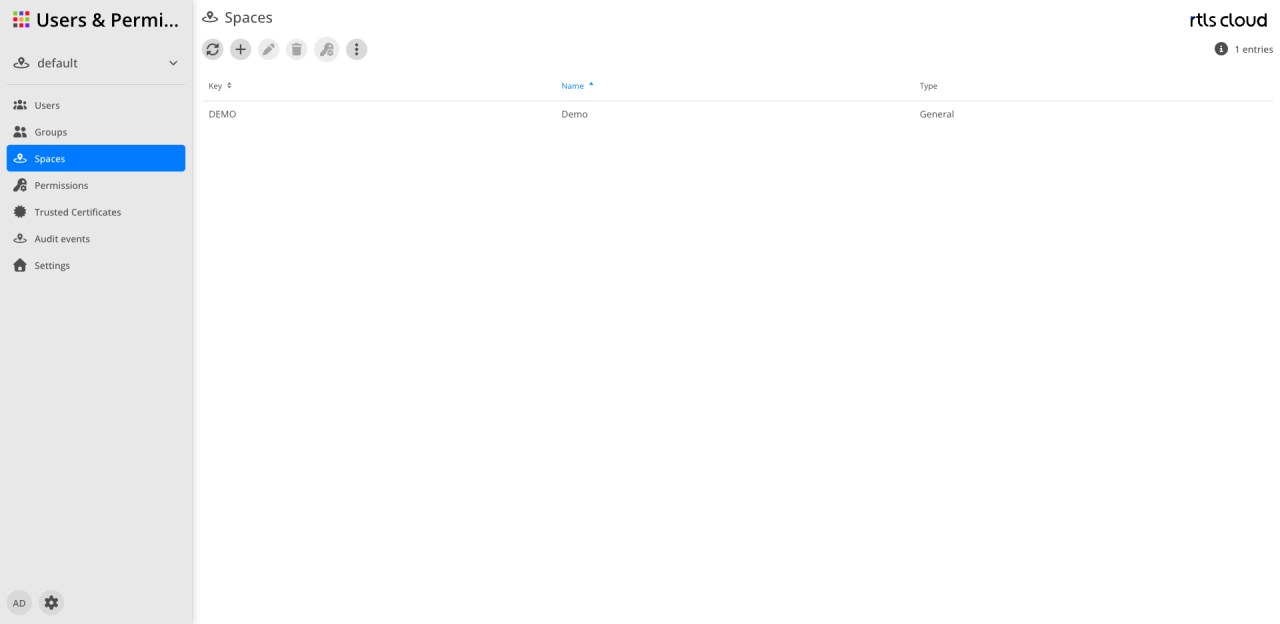
The user interface provides tools for managing and configuring the individual workspaces.
Action bar
The icons above the table control the spaces:
| Action | Description |
|---|---|
|
Reloads the table view. |
|
Opens the dialog to create a new space. |
|
Allows changes to the selected space (enabled after selection). |
|
Permanently removes the selected space (enabled after selection). |
|
Opens the permissions of the selected space: the same list of identity and role as under Permissions, but for the space rather than the tenant (enabled after selection). |
|
Provides additional management functions. |


| The list can be sorted by name or key by clicking the column headers. |
Columns
The table shows the workspaces defined within the tenant.
| Column | Description |
|---|---|
Key |
The unique technical key (ID) of the space. |
Name |
The display name of the workspace. A blue arrow marks the current sorting of the list. |
Type |
General, Infrastructure or Application — see Space type and infrastructure space. |
Space type and infrastructure space
When a space is created, its role is decided. That role determines what is managed in it and in which applications it appears at all.
| Type | Meaning |
|---|---|
General |
Both — locating infrastructure and business data in the same space. This is the default and the previous behaviour. Existing spaces carry this type. |
Infrastructure |
Holds the locating infrastructure only: locations, devices and scenarios. No assets, routes or tracks. Such a space is not offered in Tracking. |
Application |
Holds the business data of one use case only, and obtains locations, devices, tags and position events from an infrastructure space it references. |
An installation built once therefore serves any number of use cases that stay separate from one another: each has its own assets, tracks and rules, while all of them see the same location tree and the same devices.
|
Type and infrastructure space cannot be changed afterwards — not from General to something else, and not back. A space that already holds data of both kinds could only change its type by moving that data, and existing tracks reference locations of the infrastructure they were recorded with. Whoever needs a different type or a different infrastructure space creates a new space. |
What an application space sees
The locations, devices and tags of its infrastructure space — read-only. In Tracking the full location tree of that space appears in the navigation and on the map, although the space itself owns no location at all. Infrastructure is still maintained exclusively in its own space; write attempts from an application space are refused, in the user interface and through the interface alike.
The space changes when you switch application
Each application offers only the space types it can work with:
| Application | Types offered |
|---|---|
General, Infrastructure |
|
General, Infrastructure |
|
General, Application |
|
Users & Permissions |
all |
If the currently selected space is not one the target application works with, switching selects the corresponding one automatically.