Devices
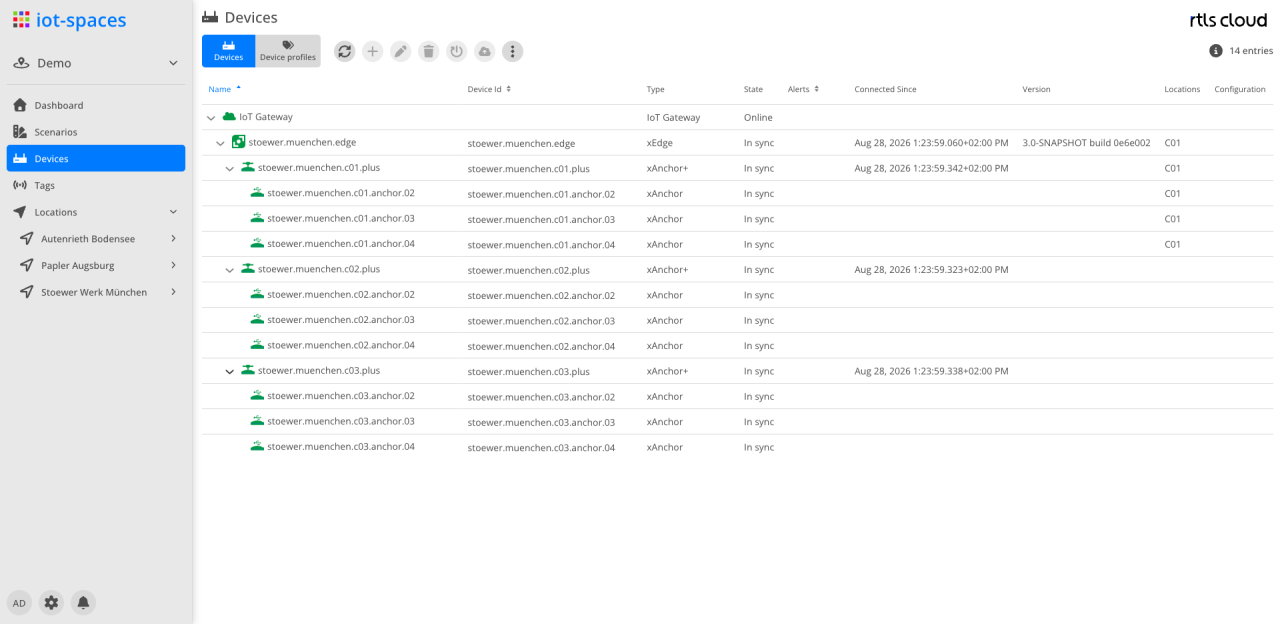
Device list
| Module | Description |
|---|---|
|
Refreshes the device list |
|
Create a new device; if a device is selected, the new one is added below it |
|
Edit the selected device |
|
Delete the selected device |
|
Restart the selected device |
|
Onboard the selected device |
|
Synchronize the selected device |


The remaining device actions — assign profile, open web interface and install software — are in the context menu of the respective row.
Columns
| Field | Type | Description |
|---|---|---|
Name |
Text |
Name of the device; the list is a tree and shows the device hierarchy |
Device Id |
Text |
Unique ID of the device |
Type |
Text |
Device type; the types are described under Types |
State |
Text |
Connection state of the device (Online/Offline) |
Messages |
Icon |
Warning icon with the number of open messages of the device |
Connected Since |
Timestamp |
Point in time since which the device has been connected |
Version |
Text |
Software version of the device |
Configuration |
Text |
Assigned configuration profile |
Perspectives
| Perspective | Description |
|---|---|
Devices |
The device hierarchy |
Device profiles |
The configuration profiles that can be assigned to devices |
Device
A piece of equipment with a unique identifier, installed in a space — an anchor, an anchor+, an edge or a client. It reaches the cloud through a gateway. A device belongs either to a single space or to the tenant as a whole; in the latter case every space of the tenant sees it (see Tenant devices).
Attributes
| Field | Type | Description |
|---|---|---|
Device ID |
Text |
Unique ID of the device |
Name |
Text |
Name of the device |
Hostname |
Text |
Designation of the device within the network |
Type |
DropDown |
Selection of the device type |
Gateway |
DropDown |
The gateway used for the device to connect to the Spaces application |
Active |
Switch |
Enables/Disables the device |
Types
| Types | Description |
|---|---|
xAnchor+ LTE |
xAnchor+ with LTE connection |
xAnchor+ |
The hardware component is an anchor with a computing board on which the xHub software can be executed. |
xEdge |
The xEdge gateway. It acts as a bridge between the physical IoT hardware and the cloud platform. |
Client |
Client-based connection |