Audit events of the platform
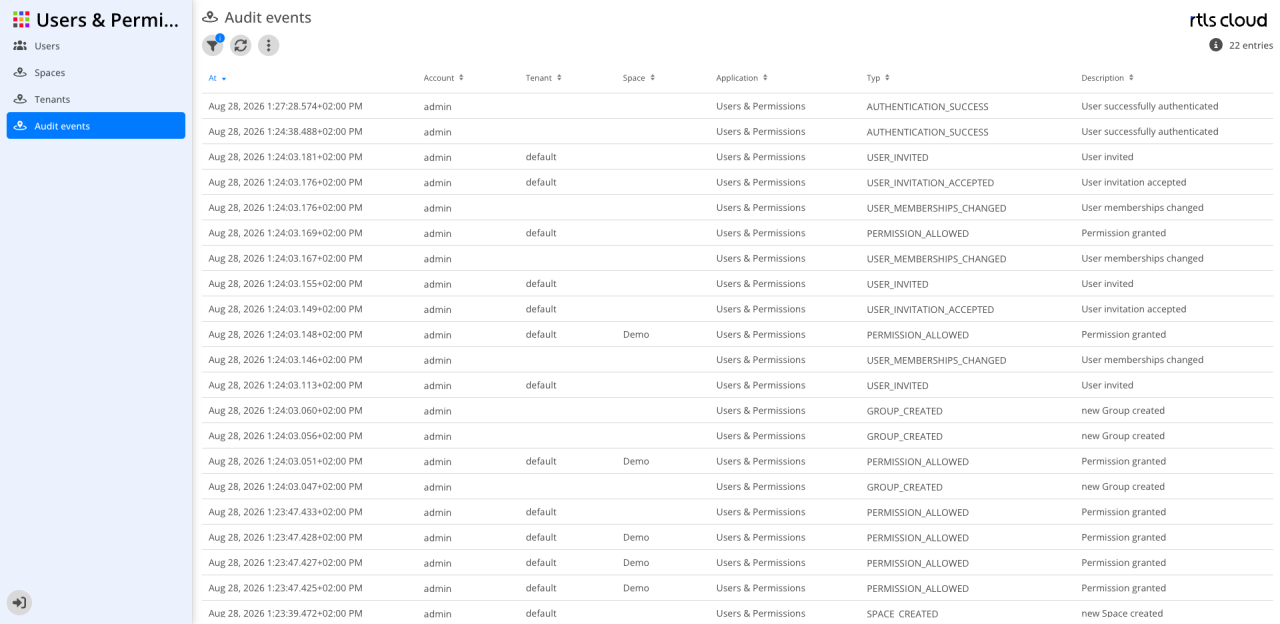
What is different here
There are two views of the same log:
-
The tenant view shows only events concerning the tenant you are signed in with. The restriction cannot be switched off — this view has neither a column nor a filter for the tenant.
-
The platform view shows every event of the installation, with the tenant as a column of its own and as a filter. It requires the rtlscloud Admin role.
|
Part of the events carry no tenant — sign-ins, password changes, and everything concerning user accounts and tenants themselves. These events are not included in the tenant view, not even when they concern users of your own tenant. Auditing sign-ins or password changes therefore requires platform access. |
Concretely, this view differs in three points:
-
It shows the events of all tenants, and in addition those assigned to no tenant. That is the reason it exists at all.
-
It has the additional column Tenant.
-
It has the additional filter Tenant, which narrows the view to a single tenant — by choice, unlike in the tenant view.
The filters, the export and the retention are the same and are described under Audit events, together with the events a tenant sees as well.
Events only in this view
These types carry no tenant and therefore appear here only:
| Type | Meaning | Source |
|---|---|---|
Sign-in and session |
||
|
A sign-in succeeded. |
Platform |
|
A sign-in failed. |
Platform |
|
A user signed out. |
Platform |
|
Access was denied. Attempts by callers who are not signed in are not recorded. |
Platform |
Users |
||
|
A user account was created. |
Users & Permissions |
|
A user account was edited. |
Users & Permissions |
|
A user account was deleted. |
Users & Permissions |
|
A user account’s memberships changed — groups or tenants. The event carries the old and the new value. |
Users & Permissions |
|
A user account’s password was changed. |
Users & Permissions |
Tenants |
||
|
A tenant was created. |
Users & Permissions |
|
A tenant was edited. |
Users & Permissions |
|
A tenant was deleted. |
Users & Permissions |