Spaces
The administrative overview lists all workspaces (spaces) of the entire system across tenants. This allows administrators to centrally view and manage the location structures of all tenants.
Space list
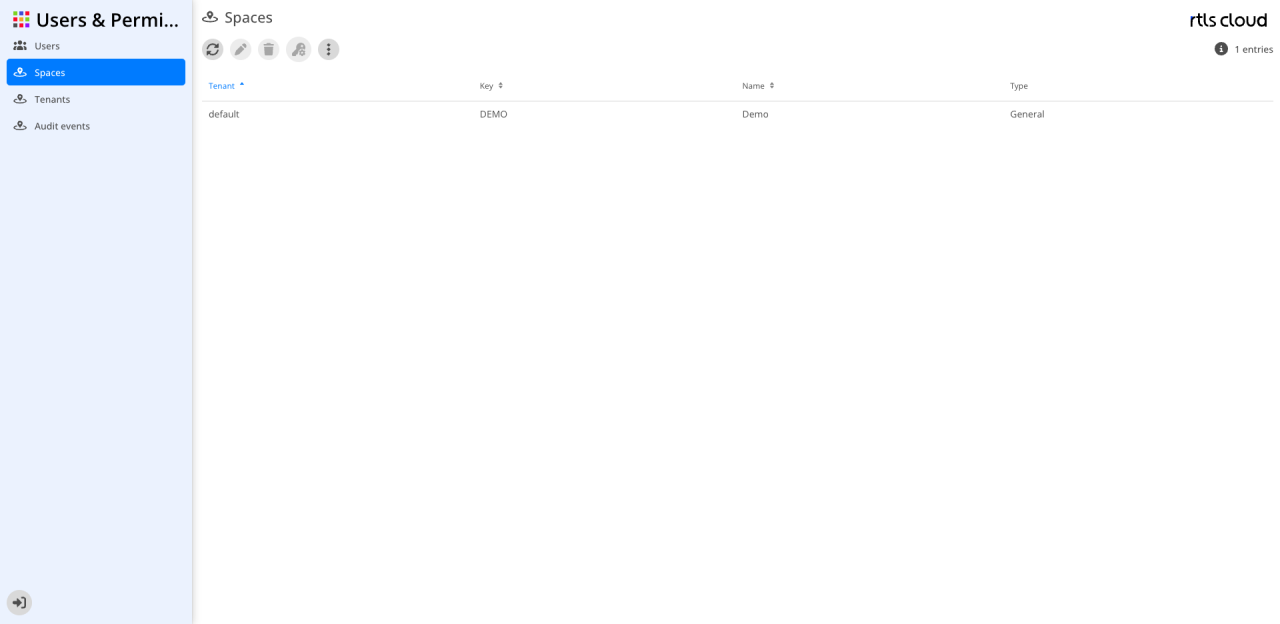
The user interface provides tools for the global management and configuration of the workspaces across all tenants.
Action bar
The icons above the table control the system-wide spaces:
| Action | Description |
|---|---|
|
Reloads the table view to display the current state of all tenants. |
|
Allows changes to the selected space (enabled after selection). |
|
Permanently removes the selected space from the system (enabled after selection). |
|
Opens the specific configuration or permissions for the selected space (enabled after selection). |
|
Provides additional administrative functions. |


| The list is sorted by tenant by default. You can adjust the sorting at any time by clicking the column headers. |
Columns
This table shows all workspaces defined in the system and their assignment to the tenants.
| Column | Description |
|---|---|
Tenant |
Shows the name of the tenant the space belongs to. A blue arrow marks the current sorting of the list. |
Key |
The unique technical key (ID) of the space within the respective tenant. |
Name |
The display name of the workspace. |