Tenants
The tenant administration is the top level of the organizational structure. Here the individual tenants are defined and managed. Each tenant represents an isolated unit in which users, groups, spaces, and certificates are encapsulated to ensure strict data separation.
Tenant list
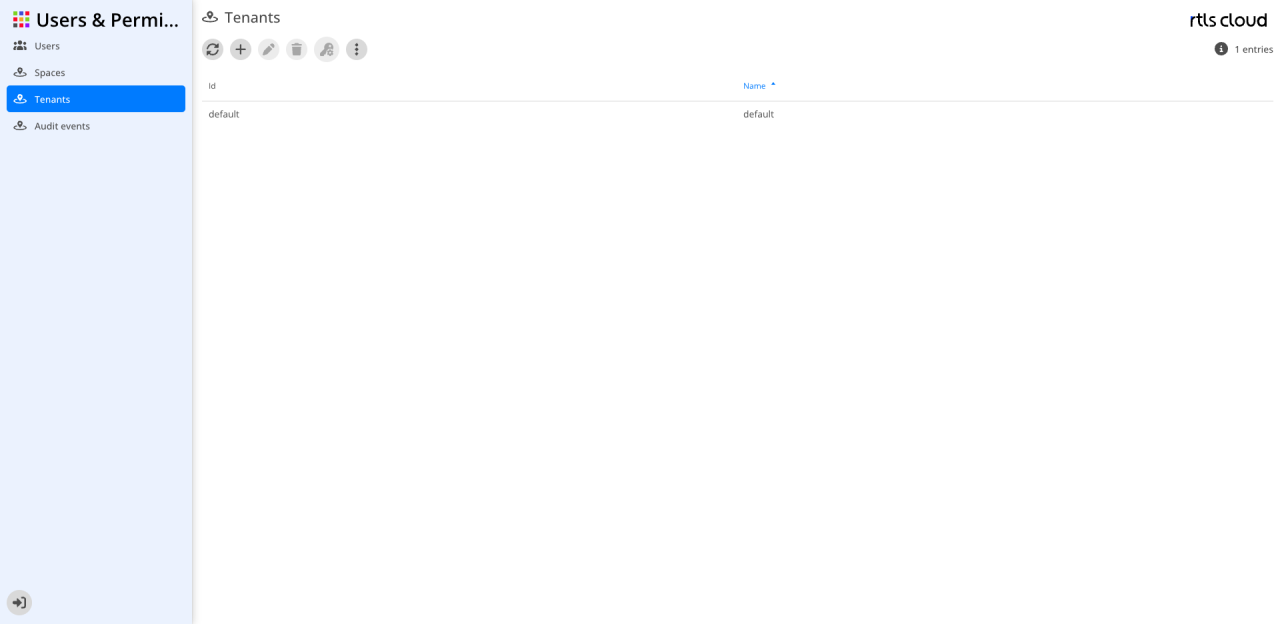
The user interface allows administrators to create new tenants and control existing configurations system-wide.
Action bar
The icons above the table provide access to the management functions for tenants:
| Action | Description |
|---|---|
|
Reloads the list of tenants. |
|
Opens the dialog to register a new tenant in the system. |
|
Allows adjusting the master data of the selected tenant (enabled after selection). |
|
Permanently removes the selected tenant from the system (enabled after selection). |
|
Provides access to specific settings or security requirements of the tenant (enabled after selection). |
|
Provides additional administrative functions for tenant management. |


| The list is sorted by Name by default. This helps to quickly find tenants alphabetically in large systems. |
Columns
This table lists all registered tenants with their technical ID and display name.
| Column | Description |
|---|---|
ID |
The unique technical identifier of the tenant. |
Key |
The unique technical key (ID) of the tenant. |
Name |
The full display name of the tenant. A blue arrow marks the current sorting of the list. |