Geo Cache
Why This View Exists
The cache saves chargeable requests: once an online service has resolved a radio environment, it is recognized later. How this works is described in How a Position is Determined.
The cache applies across all tenants — a mobile network cell is at the same place regardless of who observes it. That is deliberate and has a downside: a wrong entry distorts the positions of every tenant. That is why it is maintained centrally rather than per tenant.
Reference
| Module | Description |
|---|---|
|
Reloads the content |
|
Restriction by Cell Id or MAC Id |
|
Removes the selected entries after confirmation |
Actions |
Select all and Unselect all |
|
Number of entries found |


A double click opens the entry with its position on the map.
Display
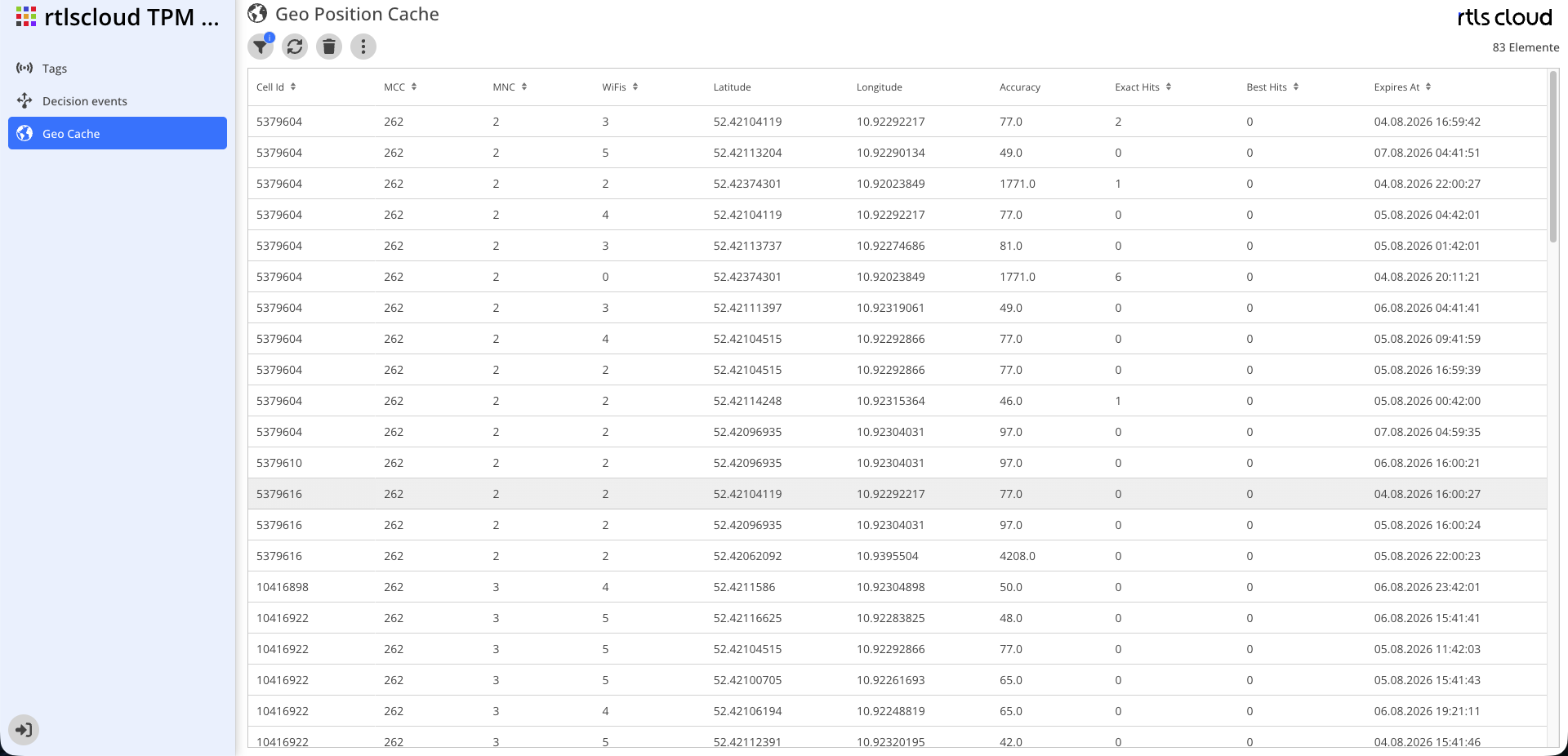
| Column | Description |
|---|---|
Cell Id |
Identifier of the mobile network cell this entry applies to |
MCC |
Mobile country code |
MNC |
Mobile network code of the operator |
WiFis |
Number of WiFi access points belonging to this entry |
MAC Ids |
The addresses of those access points |
Latitude, Longitude |
The stored position |
Accuracy |
Radius in metres it applies to |
Exact Hits |
How often the entry matched an identical set of access points |
Best Hits |
How often it matched a similar set |
Expires At |
When the entry expires on its own |
Reading Exact Hits and Best Hits
The distinction is the actual diagnostic tool of this view.
| Observation | Interpretation |
|---|---|
Mostly Exact Hits |
A stable environment. The entry is reliable |
Mostly Best Hits |
The environment changes frequently — or the entry is too broad and matches where it should not |
Very many hits overall |
An important entry. Removing it will first cause new requests at the online service |
An entry with no access points |
It applies to the cell alone and therefore to a large area. The position is correspondingly coarse |
Deleting Entries
Select one or more entries and delete them. A confirmation is required, since the action cannot be undone.
What happens afterwards: the next report from that environment is looked up at the online service again, and the result is stored anew. A wrong entry is thereby permanently resolved — provided the cause was in the cache and not in a wrongly recorded position of your own.
|
Check first in Decision events (Administration) whether the wrong position really came from the cache. The detail dialog names the source. If it came from a recorded position of your own, deleting a cache entry changes nothing. |