Tag Groups
Reference
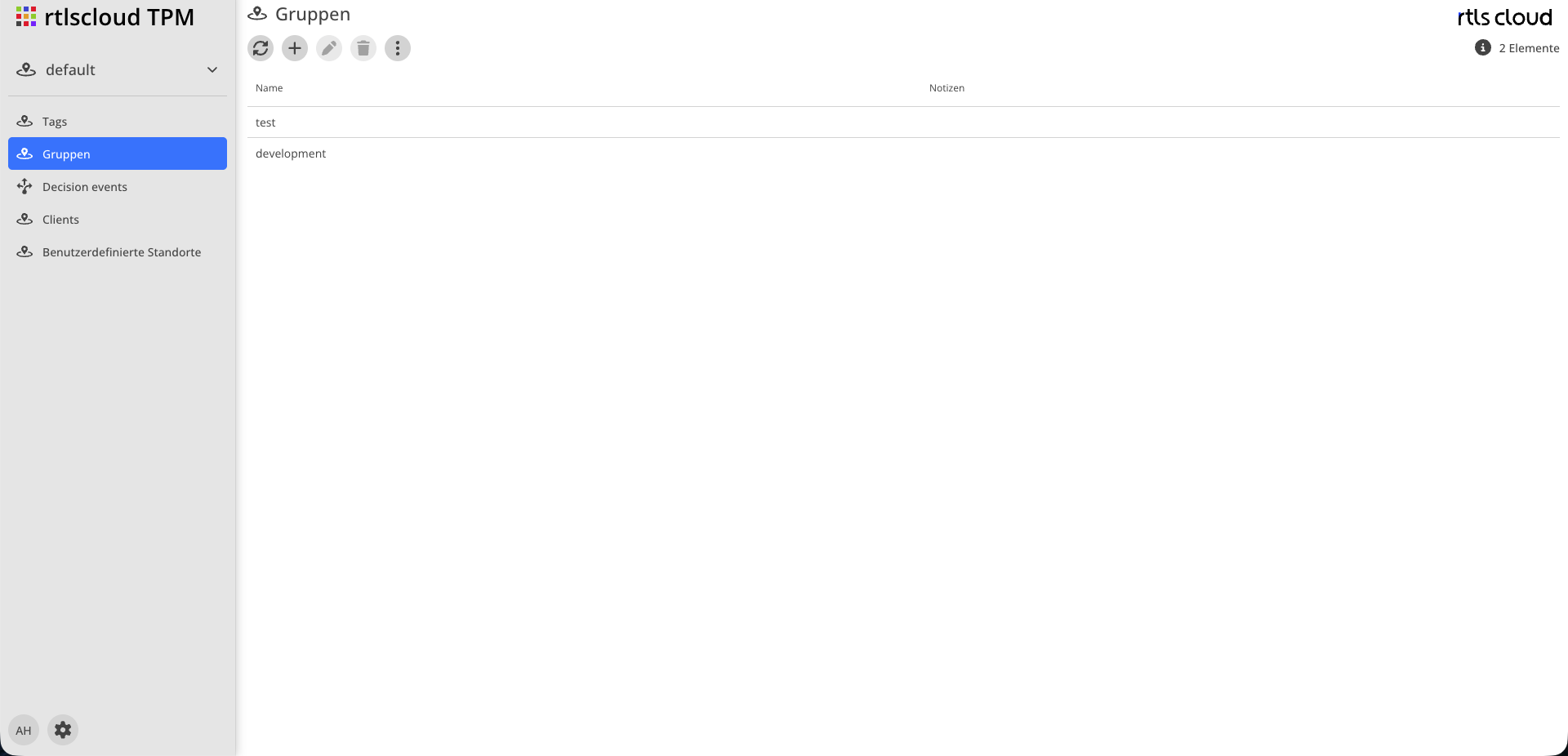
| Module | Description |
|---|---|
|
Reloads the list |
|
Creates a group |
|
Opens the selected group for editing |
|
Removes the group |
|
Number of groups shown |


Attributes
| Field | Type | Description |
|---|---|---|
Name |
Text |
Display name of the group |
Notes |
Text |
Free text, usually what the group is for |
Usage
Three rules that together explain why events arrive or do not:
-
A tag belongs to at most one group.
-
A credential can be granted several groups, and several credentials can be granted the same group.
-
A tag without a group produces events that no credential collects. They are processed and recorded but have no recipient.
The last rule is the most common reason for a third-party system being connected and still receiving nothing. The second most common is a credential without an assigned group — see Clients.
Deleting a Group
Deleting a group does not remove the tags in it. They are left without a group afterwards — and their events no longer reach any target system until you assign them to another group. Before deleting, check in Tags which tags are affected.