Decision events
Reference
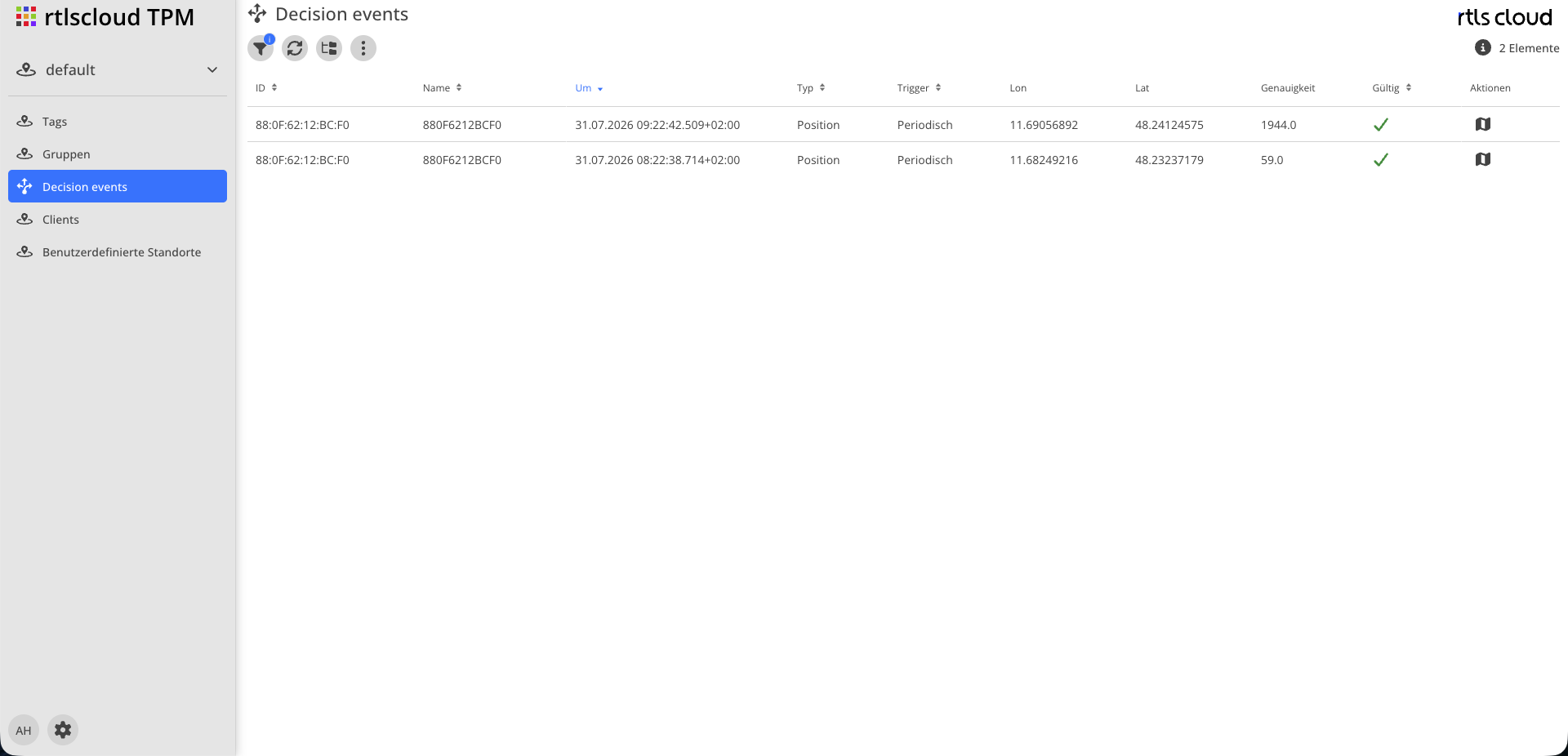
| Module | Description |
|---|---|
|
Reloads the list |
|
Period, tags and event properties |
|
Switches between a flat list and grouping per tag |
|
Number of events shown. At most 1000 are loaded |
Action column |
Opens the detail dialog for the selected event |


Display
| Column | Description |
|---|---|
Tag Id |
The MAC address of the device |
Tag name |
Display name, if set |
Time |
Time of the decision. Pre-sorted, newest first |
Type |
Kind of decision. In this application usually a position determination |
Trigger |
Why the device reported: on motion start, on motion end, or on schedule |
Lon, Lat |
Longitude and latitude of the determined position |
Accuracy |
Radius in metres for which the position is claimed to be valid |
Valid |
Whether a usable position resulted. No means the decision was recorded but there is no position |
|
Decisions without a position are recorded too. That is exactly what makes this view useful: the question "why does my device have no position?" is answerable here, not only the question about a wrong one. |
Detail Dialog
A double click or the action column opens the detail dialog with three areas:
| Area | Content |
|---|---|
Decision |
Where the position came from and how certain the match was. The source is either a position you maintained yourself, the position cache, or an online service |
Raw data |
What the device reported: mobile network cell, WiFi access points with signal strength, observed BLE devices. Excluded access points are marked as such |
Map |
The determined position with its accuracy radius |
The raw data is the key to troubleshooting. If a position is wrong, this is where you see what it was based on — and from that follows what to do. The order in which the application consults its sources is described in How a Position is Determined.
Filter
| Filter | Description |
|---|---|
Period |
From–to. The most important filter, since otherwise the list only shows the most recent events |
Tags |
Restriction to individual tags, groups or labels |
Properties |
Only valid or only invalid decisions, restriction to one trigger |
Context Menu
| Action | Description |
|---|---|
Customize Cell |
Creates a position of your own from the mobile network cell contained in the event. You give its known position on the map; future events from that cell are then resolved without an online request |
Customize WiFi |
The same for one of the reported WiFi access points. Also the way to set a disruptive access point to Ignored — see Custom Locations |
Create request |
Issues a one-off request to an online service with the data of this event and shows the result, without changing the stored position |